





Introduction
Businesses today generate and manage a large amount of digital information every day. From customer records and financial documents to website files, databases, employee documents, project files, and business applications, reliable data storage has become an essential part of modern business operations.
For businesses in Mumbai, choosing where and how to store this information can have a direct impact on accessibility, security, scalability, operational efficiency, and IT costs.
Two common approaches are cloud storage and local storage.
Cloud storage keeps business data on infrastructure managed by a cloud provider and accessed through a network or internet connection. Local storage keeps information on infrastructure owned or controlled by the business, such as servers, network-attached storage devices, or local drives.
Neither option is automatically suitable for every business. The right choice depends on factors such as data volume, accessibility requirements, security policies, budget, existing infrastructure, and business continuity needs.
If you are comparing cloud storage and local storage for your business in Mumbai, Pixel IT Solutions can help you understand the differences and select an approach that fits your operational requirements.
What Is Cloud Storage?
Cloud storage allows businesses to store data on remote infrastructure operated by a cloud service provider.
Instead of keeping all business files on computers or servers inside the office, data can be stored on cloud infrastructure and accessed through authorized devices and applications.
Common Uses of Cloud Storage
Businesses may use cloud storage for:
Business documents
Website files
Database backups
Media files
Project documents
Collaboration
Disaster recovery
Remote work
Application data
Cloud storage can make it easier for authorized employees to access files from different locations.
What Is Local Storage?
Local storage refers to data stored on infrastructure that is physically located within the business environment or directly controlled by the organization.
Examples include:
Office servers
Network-attached storage (NAS)
External hard drives
Internal storage devices
Local file servers
On-premise storage systems
Local storage can provide businesses with greater direct control over their physical infrastructure and data environment.
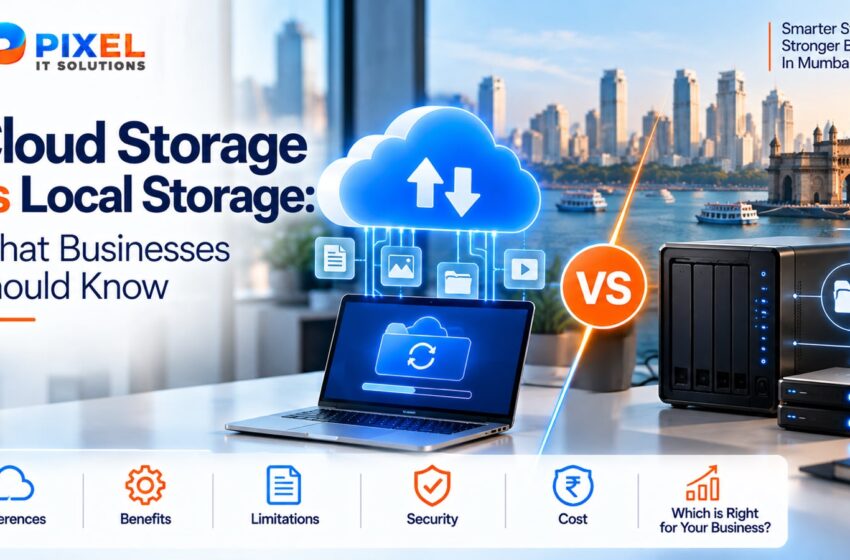
Cloud Storage vs Local Storage – Key Difference
The fundamental difference is where the data is stored and who manages the underlying infrastructure.
Factor Cloud Storage Local Storage
Infrastructure Provider-managed Business-managed
Accessibility Remote access possible Usually connected to local network
Initial Hardware Minimal Hardware required
Scalability Generally easier to expand Requires additional infrastructure
Maintenance Provider handles much of the infrastructure Business handles hardware and maintenance
Internet Dependency Usually required for remote access Can operate within local network
Physical Control Lower Higher
Remote Collaboration Convenient Requires additional setup
Recovery Strategy Can support off-site storage Depends on backup configuration
The best choice depends on your business environment rather than simply choosing the newest technology.
Benefits of Cloud Storage for Businesses
- Access Data From Different Locations
Cloud storage can allow authorized users to access business information from offices, homes, branches, or other locations.
This can be particularly useful for businesses with:
Remote employees
Multiple offices
Traveling teams
Hybrid work environments
Distributed operations - Easier Scalability
As a business grows, its storage requirements can increase significantly.
Cloud storage can provide businesses with the ability to increase storage capacity without necessarily purchasing and installing additional physical storage equipment inside the office.
This can be useful for growing businesses that expect their data requirements to change over time. - Reduced Hardware Requirements
With cloud storage, businesses may not need to maintain as much physical storage infrastructure within their own office.
This can reduce the need for:
Storage servers
Physical drives
Server-room infrastructure
Hardware replacement
Certain maintenance activities
However, cloud storage still involves recurring service costs that should be considered when calculating the total cost of ownership. - Convenient Collaboration
Cloud-based storage can make collaboration easier by allowing authorized users to access and work with shared files.
Teams can collaborate on documents, projects, media, and other business information without relying entirely on physical storage devices. - Useful for Business Continuity
Cloud storage can provide an off-site location for important information.
If a business experiences a local hardware failure, office disruption, or other physical issue, having data stored separately from the primary workplace can support recovery efforts.
Limitations of Cloud Storage
Cloud storage also comes with considerations that businesses should evaluate.
🌐 Internet Dependency
Accessing cloud-based data generally depends on network connectivity.
Poor or interrupted connectivity can affect access to cloud resources.
💳 Recurring Costs
Cloud services commonly operate through subscription or usage-based pricing.
Businesses should evaluate ongoing costs rather than focusing only on the initial price.
🔐 Access Management
Because data can be accessed remotely, businesses need appropriate authentication, permissions, account security, and access policies.
📋 Provider Dependency
The business depends on the selected provider’s infrastructure, service availability, policies, and contractual terms.
Benefits of Local Storage for Businesses
- Direct Infrastructure Control
With local storage, businesses have direct physical control over their storage hardware and environment.
This can be useful for organizations that have specific infrastructure requirements. - Fast Local Access
When employees access files through a local network, data transfer can be fast and does not necessarily require internet access.
This can be useful for businesses handling large files within an office environment. - Greater Physical Control
Some businesses prefer maintaining physical infrastructure within their own premises because it gives their IT team greater direct control over the hardware and storage environment. - Predictable Hardware Ownership
Once the required infrastructure has been purchased, the business owns the equipment.
This can provide more direct control over hardware lifecycle management.
However, hardware ownership also means the business is responsible for maintenance, upgrades, repairs, and replacement.
Limitations of Local Storage
💰 Hardware Investment
Businesses need to purchase and maintain physical storage equipment.
Depending on the size of the organization, this can include servers, storage devices, networking equipment, power backup, and related infrastructure.
🛠️ Maintenance Requirements
Local infrastructure requires ongoing management.
Businesses may need to handle:
Hardware failures
Storage expansion
Software updates
Security configuration
Monitoring
Hardware replacement
🏢 Physical Risk
If the only copy of important data is stored inside the office, events affecting the physical location can also affect the data.
This is why local storage should not be treated as a complete backup strategy by itself.
📈 Scalability Challenges
Expanding local storage may require additional hardware, installation, configuration, and infrastructure planning.
Cloud Storage vs Local Storage: Which Is Better?
There is no universal answer.
The appropriate solution depends on your business requirements.
Cloud Storage May Be Suitable When:
✔ Employees need remote access
✔ The business has multiple locations
✔ Storage requirements change frequently
✔ Collaboration is important
✔ The business wants to reduce physical infrastructure
✔ Off-site data storage is required
Local Storage May Be Suitable When:
✔ High-speed local file access is important
✔ The organization already has IT infrastructure
✔ Large files are frequently accessed within the office
✔ The business requires direct physical control
✔ Internal network-based workflows are important
Hybrid Storage: A Practical Alternative
Businesses do not always have to choose only one option.
A hybrid storage strategy combines local and cloud infrastructure.
For example, a business might use:
Local Storage → Daily Operations
Cloud Storage → Remote Access & Off-Site Protection
This approach can allow businesses to retain fast local access while maintaining additional copies or resources in a remote environment.
Hybrid storage can be particularly useful when businesses have both high-performance local storage requirements and cloud-based accessibility or recovery needs.
Cloud Storage vs Local Storage for Mumbai Businesses
Mumbai businesses operate across a wide range of industries and business models.
From startups and professional service companies to manufacturers, retailers, agencies, technology companies, and e-commerce businesses, storage requirements can vary significantly.
🏢 Office-Based Businesses
Companies with employees working primarily from one office may benefit from local storage for fast internal file access while using cloud storage for collaboration and off-site protection.
💻 IT & Technology Companies
Technology companies may require a combination of cloud infrastructure, local development environments, databases, source-code storage, and backup systems.
🛒 Retail & E-Commerce
Businesses handling product information, customer data, inventory, orders, and website databases may benefit from scalable cloud infrastructure alongside appropriate backup systems.
🏭 Manufacturing Companies
Manufacturers may generate large operational files and records that require reliable local access while also benefiting from off-site backups and cloud-based systems.
📈 Growing Businesses
Businesses expecting rapid growth may consider cloud solutions because storage capacity and infrastructure requirements can evolve as the organization expands.
Important Factors to Consider Before Choosing Storage
Before investing in a storage solution, businesses should evaluate several factors.
- Data Volume
How much information does your business currently generate?
More importantly, how quickly is that volume increasing? - Accessibility
Do employees need access from:
One office?
Multiple branches?
Home?
Client locations?
Different cities?
Your accessibility requirements can influence the appropriate storage model. - Performance
Consider how quickly employees and applications need to read and write data.
Businesses working with large files may have different requirements from companies primarily handling documents and spreadsheets. - Security
Evaluate:
User permissions
Authentication
Encryption
Access controls
Monitoring
Data protection policies
Storage should be part of a broader IT security strategy. - Cost
Don’t compare only the initial purchase price.
Consider the total cost of ownership, including:
Hardware
Storage capacity
Cloud subscriptions
Maintenance
IT administration
Upgrades
Backup
Recovery
Security
Power and infrastructure - Backup & Recovery
Storage and backup are not the same thing.
If your business stores data locally, you still need backups.
Similarly, having data in the cloud does not automatically mean you have a complete backup and recovery strategy.
Storage Is Not the Same as Backup
This is one of the most important distinctions businesses should understand.
Storage
Storage is where your working data is kept.
Backup
A backup is an additional copy created specifically to support recovery if the original data becomes unavailable, damaged, deleted, or compromised.
For example:
Primary Data → Local Server
Backup Copy → Cloud Storage
This can provide an additional layer of protection.
Businesses should avoid relying on a single storage location for critical information.
How Pixel IT Solutions Can Help
Choosing between cloud and local storage requires more than simply comparing prices.
Pixel IT Solutions can help businesses evaluate their existing infrastructure and identify storage requirements based on their operations.
Services Can Include:
✔ Cloud storage solutions
✔ Local storage infrastructure
✔ Hybrid storage planning
✔ Data backup solutions
✔ Disaster recovery planning
✔ IT infrastructure support
✔ Server solutions
✔ Data protection strategies
✔ Cloud migration assistance
✔ Ongoing IT support
The objective is to create a storage environment that supports performance, accessibility, security, scalability, and business continuity.
Benefits of Choosing the Right Storage Strategy
A properly planned storage environment can help businesses achieve:
🔐 Better Data Management
Organize and manage business information more effectively.
⚡ Improved Productivity
Give employees appropriate access to the files and systems they need.
📈 Easier Scalability
Adapt storage capacity as the organization grows.
💼 Greater Operational Flexibility
Support remote teams, multiple locations, and changing work environments.
🛡️ Improved Recovery Readiness
Combine storage with appropriate backup and recovery processes.
💰 Better Cost Management
Select infrastructure based on actual business requirements rather than unnecessary technology investments.
Why Businesses Should Review Their Storage Strategy
Your storage requirements can change as your business grows.
A solution that worked for a small company may not be suitable when:
The number of employees increases
Data volumes grow
New branches open
Remote work expands
Applications move to the cloud
Customer data increases
Compliance requirements change
Business-critical systems become more dependent on digital infrastructure
Regularly reviewing your storage architecture can help ensure that your technology continues to support your business.
🚀 Cloud or Local? Build the Right Storage Strategy
Cloud storage and local storage both have practical applications.
The right choice depends on your data volume, business operations, accessibility requirements, performance needs, security considerations, budget, and growth plans.
For some businesses, local infrastructure may remain important. For others, cloud storage may provide the flexibility they need. Many organizations can benefit from combining both approaches.
At Pixel IT Solutions, we help Mumbai businesses evaluate their technology requirements and implement storage, backup, cloud, and IT infrastructure solutions designed around their business needs.
Get Cloud & Local Storage Solutions in Mumbai
Looking to improve your business storage infrastructure?
Company Name: Pixel IT Solutions
Website: https://pixelitsolutions.in/
Phone: +91 832-972-3380
Email: info@pixelitsolutions.in
👉 Contact Pixel IT Solutions today to discuss your cloud, local storage, backup, and IT infrastructure requirements.
FAQ – Cloud Storage vs Local Storage
- What is the difference between cloud storage and local storage?
Cloud storage keeps data on infrastructure managed by a cloud provider, while local storage keeps data on hardware controlled and managed by the business. - Is cloud storage better than local storage?
Neither is universally better. The appropriate option depends on the company’s accessibility, performance, security, budget, scalability, and infrastructure requirements. - Is local storage more secure than cloud storage?
Security depends on how the environment is designed and managed. Both cloud and local storage require appropriate authentication, access controls, security monitoring, and data protection practices. - Can a business use both cloud and local storage?
Yes. A hybrid approach can combine local infrastructure for operational needs with cloud resources for remote access, scalability, collaboration, or off-site protection. - Does cloud storage eliminate the need for backups?
No. Cloud storage and backup serve different purposes. Businesses should establish an appropriate backup and recovery strategy for critical information. - Is cloud storage suitable for small businesses in Mumbai?
Cloud storage can be suitable for many small businesses, particularly those requiring remote access, collaboration, or scalable storage. The appropriate solution depends on the company’s specific requirements. - What type of storage is best for large files?
The answer depends on how the files are accessed and processed. Businesses working with large files may benefit from high-performance local storage, cloud infrastructure, or a combination of both. - Can Pixel IT Solutions help migrate local storage to the cloud?
Pixel IT Solutions can assist businesses in evaluating their infrastructure and planning cloud, local, or hybrid storage solutions according to their operational requirements.